Do you often find yourself struggling to read long dates in Microsoft Excel? Have confusion about writing a formula for dates or need help changing the look of your spreadsheet? If you work with spreadsheets, it is vital to control information and keep accurate records. This can seem overwhelming if you don’t know how to modify your views. Anyone can alter their view in just a few minutes with the right understanding of managing dates. This will help users to improve their productivity and improve their understanding of how to manage data. Are you having trouble understanding how to write a date formula or read lengthy Excel dates in spreadsheets? Data management is crucial however, it can be difficult if you don’t know how to customize the information you see. It’s not difficult when you are able to make use of Excel spreadsheets.
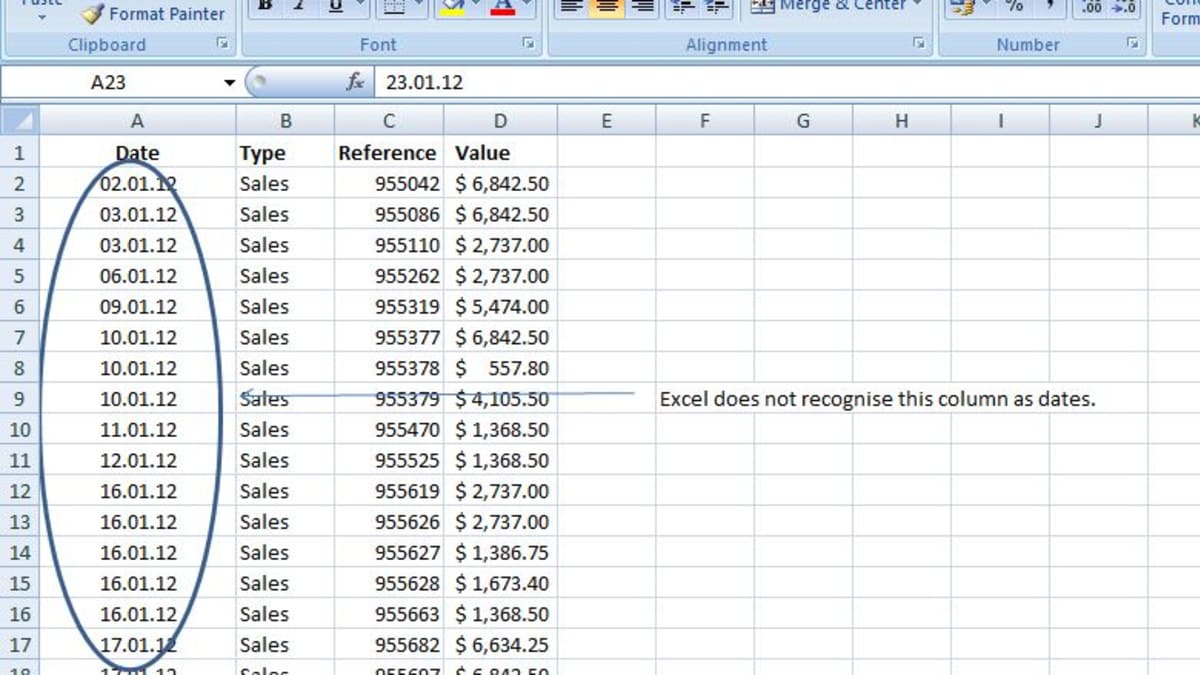
Excel’s ability to store, manipulate, and utilize dates and times effectively is a crucial skill that many users don’t possess or aren’t able to remember. By not understanding the way Excel manages entries that involve dates and times, users are restricted in the type of tasks they are able to perform. There are plenty of great resources that can help you comprehend the specifics that Excel uses to store times and dates in Excel spreadsheets. With a bit of patience and practice, people will be able to successfully convert their spreadsheets to powerful instruments to handle all kinds of data that are related to time management.
When it comes to managing information, Excel has no rival. Excel is a very powerful program that allows users to organize and manipulate data. Excel’s ability to change dates from one format to another can alleviate the frustrations when dealing with dates. If you require a monthly or weekly calendar display or a more detailed display of days or changing the tabular view in Excel is a straightforward task that will save you a lot of time and headaches. Change your spreadsheets into visually appealing and user-friendly layouts that can be quickly understood at glance. You can upgrade Excel documents to display your data in a more professional way.
It’s easy to modify the format for dates. It is easy to change the format of date cellsto allow you to arrange your data more efficiently. First, select the cells that contain dates. Right-click any of these cells then select Format Cells from the menu, and open the Number tab. You can alter the way dates appear by selecting whether you want to use either slashes or periods to differentiate the month, day and year values. With just a few clicks, you can adjust the column widths to create an even presentation of dates across all cells within the spreadsheet. Excel’s advanced formatting tools make arranging data so much easier.
Many people use Excel files to store and manage data but not everyone is taking advantage of custom date formats in Excel. By changing your date format in Excel to improve the organization of your data and easy to read and easy to study. You can quickly sort through large numbers easily by choosing the proper date format. Additionally, you’ll be able to avoid errors caused by incorrect format or misinterpreted dates. You can convert date formats from European (dd/mm/yyy) to international (YYYYYMM-DD) to ensure that everyone can understand the dates no matter where they are. Additionally, it makes it easier to do calculations with dates quickly and without making any mistakes. Excel will help you save both energy and time.
For more information, click excel date format dd/mm/yyyy not working